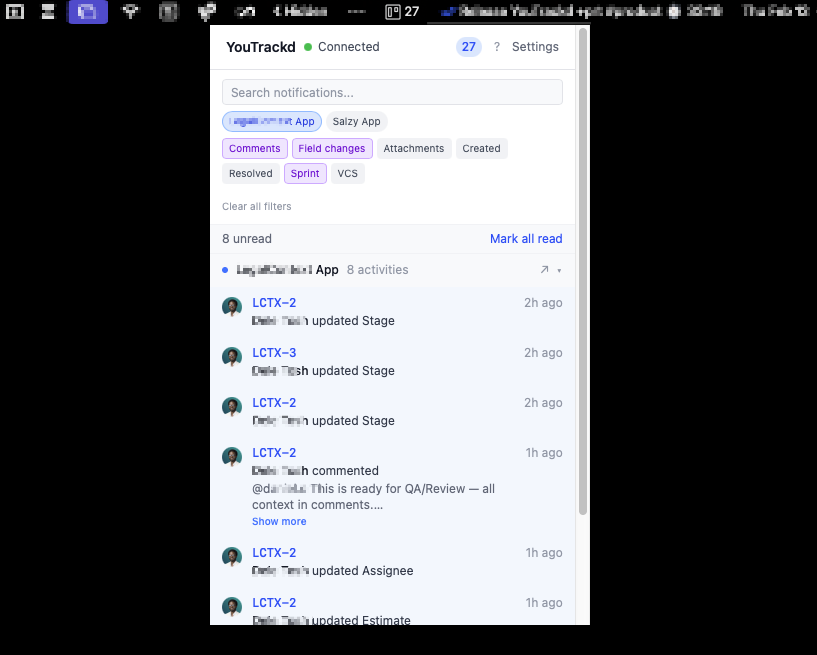
A lightweight desktop app that brings YouTrack Cloud and Nifty notifications to your menu bar with quick actions. Comment, change status, and reassign — without opening your browser.
Available for macOS, Windows, and Linux · v0.7.0
Seven core capabilities designed for developers who want to triage project notifications without context-switching.
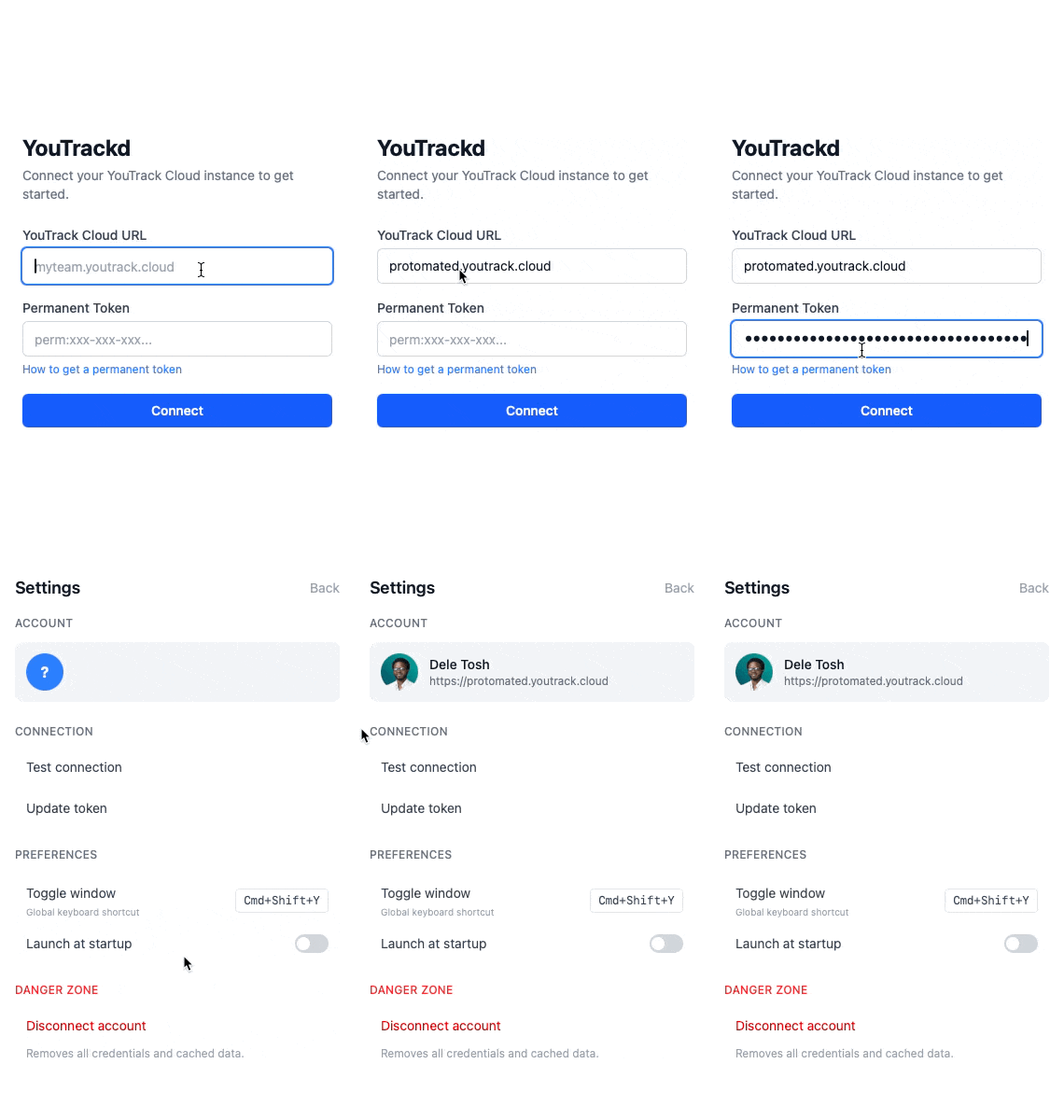
Pick YouTrack Cloud or Nifty, then paste your token. Credentials are stored securely in your OS keychain — never in plaintext. A live health indicator shows connection status at a glance.
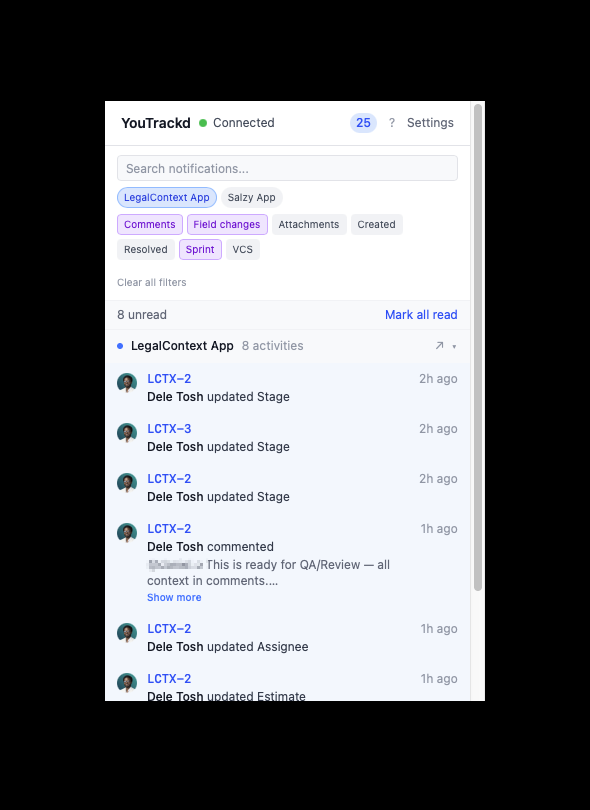
Comments, status changes, assignments, and more — from every connected account in one stream, grouped and sorted newest-first. Adaptive polling keeps you up-to-date: 30s when focused, 60s minimized, 120s idle.
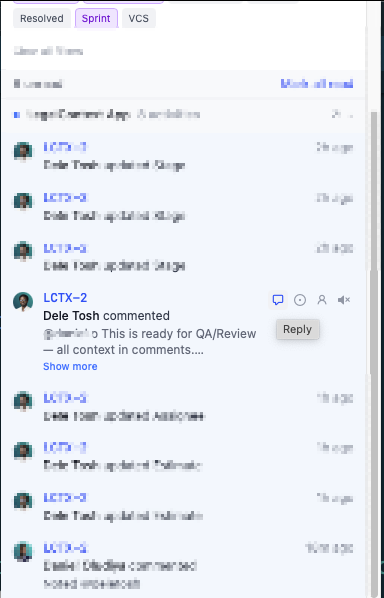
Reply to comments, change status, or reassign — all from the notification panel. No browser tab needed. Works the same whether the item lives in YouTrack or Nifty.
Feedglance lives entirely in your system tray. No dock icon, no taskbar clutter. Click the tray icon to open, click away to dismiss. Unread count badge shows at a glance.
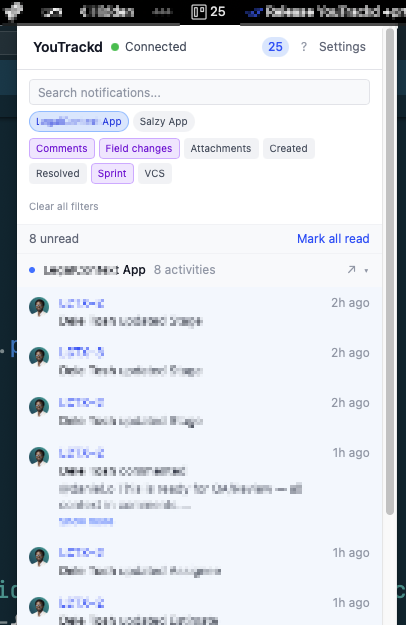
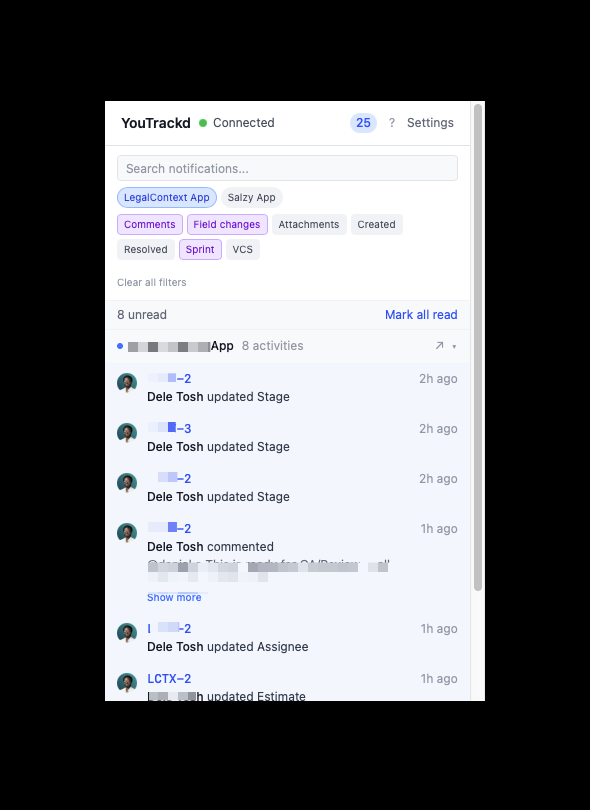
Filter by project, activity type, or search by keyword. Mute noisy issues. All filters are persisted across sessions and applied instantly — no re-fetching.
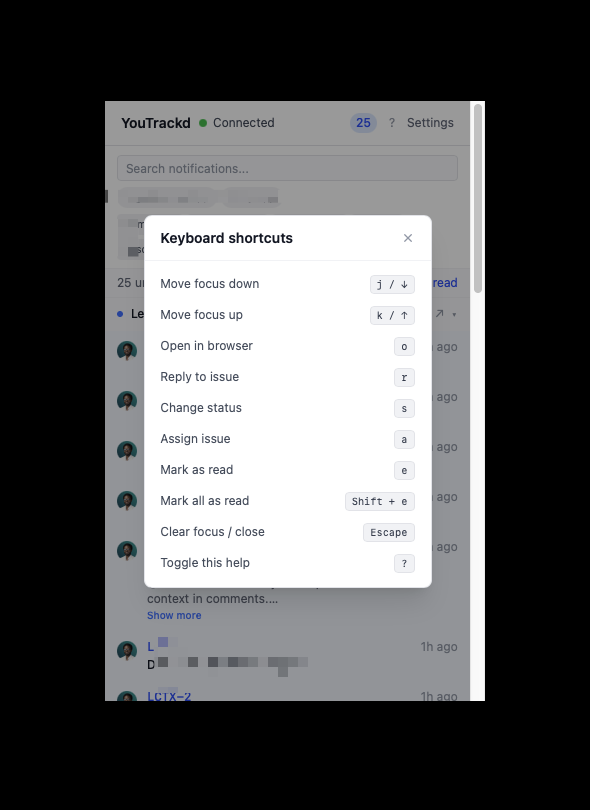
Navigate with j/k, open with o, reply with r, change status with s, assign with a. A global hotkey (Cmd+Shift+Y) summons the window from anywhere.
Built with Tauri for a tiny footprint. Native system tray on every platform. Auto-updates keep you on the latest version. Distributed via GitHub Releases.
See how it compares to the alternatives.
| Feedglance | Browser | ||
|---|---|---|---|
| Instant notifications | ✓ | Manual refresh | ~Delayed |
| Quick actions (reply, status, assign) | ✓ | Full page load | ✗ |
| Keyboard-driven triage | ✓ | Limited | ✗ |
| System tray presence | ✓ | ✗ | ✗ |
| No context switching | ✓ | ✗ | ✗ |
| Filter & mute | ✓ | ~Basic | ~Rules |
| Memory footprint | ~15 MB | ~200 MB+ | N/A |
Feedglance is fully open source. Inspect the code, report issues, or contribute features. Built with Tauri, React, and Rust.
View on GitHub YouTrack Cloud (*.youtrack.cloud) and Nifty, including Nifty workspaces on a custom domain. YouTrack Server (on-premise) is not supported yet; support may be added in a future release.
macOS: 10.15+ (Intel & Apple Silicon)
Windows: 10+ (x64)
Linux: Most modern distributions (x64, requires WebKit2GTK)
Feedglance checks GitHub Releases for new versions every 6 hours. When an update is available, you'll be prompted to install it. Updates are downloaded and applied automatically.
Yes. Your token is stored in your operating system's secure keychain (macOS Keychain, Windows Credential Manager, or Linux Secret Service). It never touches disk in plaintext and is never transmitted anywhere except directly to your own YouTrack or Nifty instance.
Yes. Connect several YouTrack Cloud instances, Nifty, or a mix of both. Everything lands in one feed, and per-account filter chips let you narrow it down — a filter set on one account never hides another's notifications.
Feedglance is built with Tauri (Rust + native webview), so it typically uses around 15-30 MB of RAM — a fraction of an Electron app or browser tab.
Feedglance releases are not yet code-signed, so your OS may show a security warning on first launch. You might see messages like:
This is expected for unsigned open-source apps and easy to fix:
xattr -cr /Applications/Feedglance.app then launch normally. This clears the quarantine flag that triggers the “damaged” / “move to Trash” warning.chmod +x Feedglance_*.AppImage && ./Feedglance_*.AppImagesudo dpkg -i feedglance_*.deb Download Feedglance and triage notifications from your system tray.
Download Feedglance